


Park National Bank
4.31.30K Reviews
App Specs
- Version
- 25.2.0
- Updated On
- License
- Free
- Downloads
- 100,000+
- Developer
- Park National Corporation
- Categories
- Finance
- Platform
- Android
Screenshots
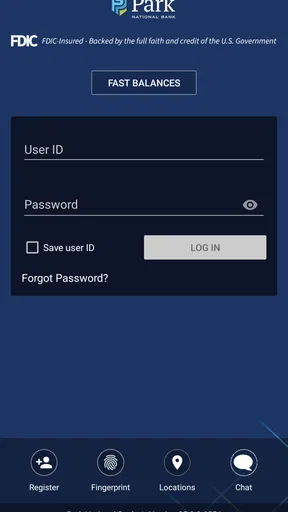
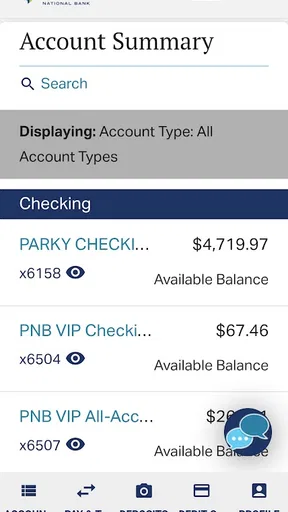
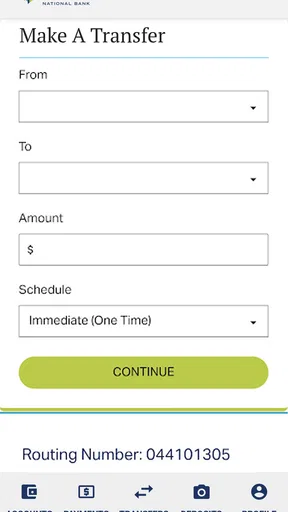
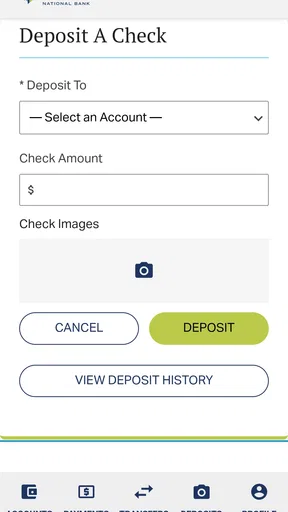
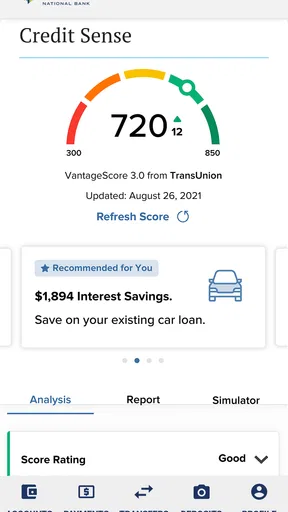
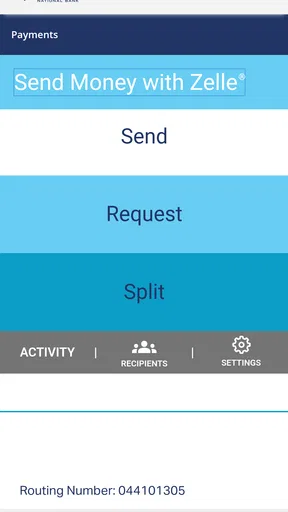
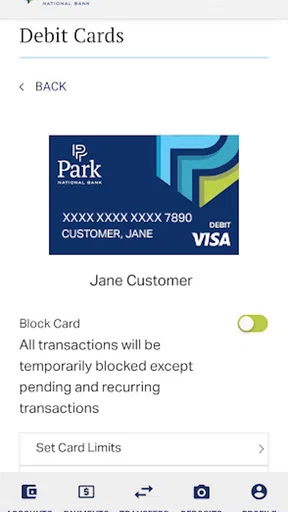
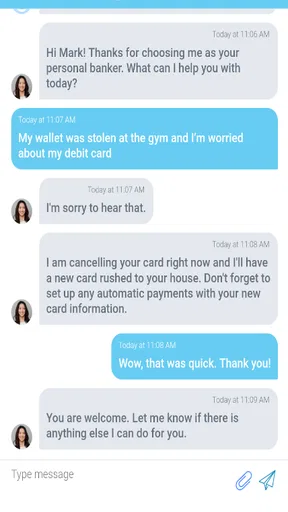
 Analysis by AppCompare
Banking apps are judged less by how impressive they look than by what happens when you need them quickly. I approached Park National Bank with that in mind: could I get through a normal account check, recover from a small login problem, and tell whether an issue belonged to the app, my phone, or the bank’s service? As a finance app from Park National Corporation, it is designed for customers who want a mobile route into Park National Bank rather than a general-purpose money manager.
My overall impression is practical rather than flashy. The app is free, carries an Everyone age rating, and has reached over 100 thousand installs. Its average rating is 4.3 from around 2.8 thousand ratings, with roughly 1.3 thousand written reviews, so there is a meaningful amount of public user feedback behind it. Those figures do not replace personal testing, but they do suggest that the app is established enough to be part of many customers’ regular banking routines.
Where the first-use experience can become confusing
The biggest source of friction is not necessarily a broken screen. Banking apps depend on several things lining up at once: the correct customer credentials, an active account relationship, a compatible phone, a reliable connection, and the bank’s own online service being available. When one of those pieces is wrong, the result can look like an app failure even when the application itself is working normally.
I would begin by separating the kind of problem I am seeing. A rejected sign-in points toward credentials or account access. A screen that keeps loading points more toward connectivity, service availability, or a temporary app state. A feature that appears unavailable may simply require a different account relationship or may be affected by the bank’s current service rules. Treating every problem as “the app is broken” usually leads to unhelpful reinstalling and repeated attempts.
There is also a security trade-off here. A bank app should not make sensitive information feel casually accessible, so a little extra care during sign-in is preferable to a loose process. The downside is that someone who expects the instant access of a social or shopping app may find the first session slower. I see that as an acceptable inconvenience, but it means you should set it up before the moment you need to make an urgent check.
One useful habit is to test the app during a calm moment rather than waiting until you are standing at a checkout. Open it, confirm that you can reach your account area, and learn where the information you use most often is displayed. That small rehearsal can reveal a forgotten credential or an outdated phone setting while there is still time to solve it.
What I would check before blaming the application
First, I would confirm that the phone has a stable internet connection. Switching between an unreliable Wi-Fi network and mobile data can make a secure banking session appear frozen. If other apps are also slow, the problem is probably broader than Park National Bank. If ordinary apps work but the banking app alone cannot complete a request, then the next checks should focus on the app session and the bank service.
Worth Reading Before You Choose

EA SPORTS FC Mobile 26 Is a Bigger Football Game, but It Takes Time

Flipboard Shows What News Apps Must Do Beyond the Feed

Switching to Android Auto Means Rethinking Your Driving Routine

Google Calendar Makes a Crowded Week Easier to Manage

Ludo King Makes the Most of the Minutes Between Plans

Baby Panda World Brings Quick Play to Modern Phones, but Its Game Library Feels Busy
Second, I would verify that I am using the current version. The app is listed as version 25.2.0 and requires operating system 11 or newer. That requirement matters because a phone running an older system may not be a suitable environment, while an outdated installation can behave differently from the current release. Keeping both the phone software and the application current is a sensible first step before contacting support.
Third, I would check the basics that are easy to overlook: automatic date and time, available storage, and whether the phone is restricting the app in the background. Incorrect time settings can interfere with secure connections, while a nearly full device can cause unpredictable behavior across many apps. These are not Park National Bank-specific guarantees, but they are sensible device-level checks when a financial application will not complete a task.
I would also avoid repeatedly entering a password just to see whether the next attempt works. Multiple unsuccessful attempts can create more confusion than clarity, especially if the original issue was a keyboard mistake, an autofill error, or a temporary connection problem. Pause, recheck the entry carefully, and use the bank’s recognized recovery route if access still fails.
A setup routine that saves time later
My preferred setup sequence is deliberately boring. I install the application from the official store, open it on a trusted connection, and make sure the phone itself is protected with a passcode or another screen-lock method. I then sign in slowly, checking that the account information shown is the account I expected. The point is not to rush through setup; it is to establish a known-good starting point.
I would not configure a banking app on a borrowed phone or on a device that other people regularly unlock. Even if the application protects the account, the phone remains part of the security picture. A personal device also makes later troubleshooting easier because I know which operating system, network settings, and keyboard behavior are involved.
Before relying on the app, I would make a small mental map of the main workflow: opening the app, authenticating, locating the balance or recent activity, and safely leaving the session. If you use mobile banking mainly for quick checks, this is more valuable than exploring every screen. It also helps you notice whether a later change is genuinely new or whether you simply opened the wrong area.
Another practical tip is to keep a non-sensitive record of the support route you normally use for the bank. Do not write down passwords or security answers. Instead, know where to find official help if the app becomes inaccessible. That distinction matters: the app is convenient, but it should not be your only memory of how to reach your bank.
Recovering a normal banking workflow
When a session fails halfway through, I would avoid immediately deleting the app. Start with the least disruptive recovery: close it completely, reopen it, and try once on a stable connection. If the screen still behaves strangely, restart the phone. These steps clear temporary state without changing account information or creating a new setup task.
If the problem is limited to one action, I would note exactly where it occurs. Can I open the app but not authenticate? Can I authenticate but not load account details? Does the issue happen only after leaving the app and returning? This simple distinction gives support something useful to work with and prevents a vague report such as “mobile banking does not work.”
For a sign-in problem, I would check the username and password manually rather than trusting an old autofill entry. Password managers can be helpful, but an outdated saved value can repeatedly send the wrong credentials. I would also check whether the keyboard has inserted an unintended space or changed capitalization. These tiny errors are especially easy to miss on a phone.
For a loading problem, I would try the connection checks again and see whether the same delay appears in another session. If the app works on one connection but not another, that points toward the network rather than the account. If it fails consistently while other internet services work, I would stop repeating the attempt and contact Park National Bank through an official channel.
The safest recovery rule is to change one thing at a time. If you update the phone, reinstall the app, change credentials, and switch networks all at once, you lose the ability to identify what solved the problem. A careful sequence is slower for five minutes but much faster when the issue returns.
When reinstalling helps and when it creates extra work
Reinstalling can be reasonable when the local installation appears damaged or an update did not complete properly. However, it is not a universal fix for rejected credentials, an unavailable banking service, or an account-level restriction. It can also force you to repeat setup steps, so I would treat it as a later troubleshooting option rather than the first response.
Before removing the app, I would make sure I know the official credentials and recovery process. I would never assume that uninstalling clears an account problem. The bank’s records and the app installation are different things; replacing the app does not replace the banking relationship.
After reinstalling, I would repeat the setup on a stable connection and verify access without attempting a complicated task immediately. A simple account check is a better test than jumping straight into something time-sensitive. If the same issue returns, that is a strong signal to stop cycling through installations and ask the bank for account-specific help.
Everyday use: a quick balance check before a purchase
A realistic use case is checking available money before making a larger purchase. I would open the app before reaching the register, authenticate, review the account information, and close the session once I had what I needed. This is where a dedicated bank app can be more useful than a budgeting app: it is connected to the banking relationship rather than relying on a separate overview of multiple accounts.
The trade-off is that this workflow depends on timely access. If the phone has poor reception, the service is temporarily unavailable, or the sign-in process needs attention, the convenience disappears at exactly the wrong moment. My advice is to check earlier when the purchase matters and not treat the app as a guarantee that every banking task can be completed instantly.
I would also avoid confusing a displayed balance with a complete picture of every pending financial decision. A mobile banking screen is useful for checking the information it presents, but I would still read transaction details carefully and allow for the normal difference between a recent purchase and its final posting. If something looks unfamiliar, the right response is to investigate through official bank support, not to keep refreshing the screen.
When the app is not the cause
Some problems are clearly outside the application. A phone that cannot connect reliably, an operating system below the required version, or a device with severe storage pressure can affect any secure financial app. In those cases, changing banking credentials is unlikely to help. Fix the device or connection first, then test again.
Other issues belong to the account or the bank’s online service. If credentials are correct but access is still denied, the bank may need to verify the account directly. If several attempts fail at the same time while the phone and connection appear normal, a service-side problem becomes more plausible. Only Park National Bank can resolve account-specific access questions, so official support is the appropriate next step.
This is also where a general finance app may be a better companion, but not a replacement. Budgeting tools can be stronger for categorizing spending, setting goals, or viewing several institutions together. Park National Bank is the more direct choice when your priority is interacting with a Park National Bank account through its own mobile channel. Choosing between them depends on whether you need banking access or broader financial organization.
Likewise, a browser can be a useful alternative when the mobile installation is misbehaving, provided you use the bank’s official website and normal security practices. I would not move to an unofficial third-party tool simply because it offers a smoother-looking interface. For financial access, familiarity and clear ownership matter more than a long feature list.
Who will appreciate it most
I think this app suits existing Park National Bank customers who want a straightforward mobile way to check their banking information and prefer dealing with the institution directly. It is also a sensible choice for someone who values a focused finance app instead of installing a broad money-management service for a simple banking need.
It is less suitable for a person who wants one dashboard combining many banks, detailed budgeting analysis, or extensive financial planning. Those needs belong more naturally to specialized finance tools. I would also hesitate to recommend relying on it as the sole way to manage urgent banking matters until the user has completed setup and confirmed that the phone, credentials, and connection work together.
The app’s long availability, beginning in May 2013, is reassuring in the narrow sense that it is not a brand-new experiment. Its current release shows that it continues to be maintained as a mobile banking product. Still, longevity does not remove the need for ordinary checks after an update, especially on older phones or devices that are close to the minimum operating-system requirement.
My practical verdict
Park National Bank is a sensible free finance app when you already bank with Park National Bank and want direct mobile access without adding a separate money-management layer. I like its focused purpose: it does not need to become a budgeting suite to be useful as a banking companion. The public response, with a 4.3 average and more than 100 thousand installs, supports the view that it is a familiar option for a substantial group of customers.
My recommendation comes with a clear condition: set it up before you need it. Confirm the phone meets the operating-system requirement, use a stable connection, test a normal sign-in, and learn the basic route to the information you check most. If something fails, identify whether the problem is credentials, the local app session, the device, the network, or the bank service before making major changes.
For a Park National Bank customer who mainly wants convenient account access, I would choose it over a generic finance app. For someone seeking cross-bank budgeting or deeper spending analysis, I would pair banking access with a separate tool or choose a broader alternative. In my experience, that is the fairest way to view Park National Bank: useful and appropriately focused, but dependent on careful setup and realistic expectations about what a bank-specific app can do.
Pros
- Mobile check deposit saves trips to a branch.
- Custom alerts help monitor balances and account activity.
- Bill pay supports convenient recurring and one-time payments.
- Card controls can help manage spending and protect a debit card.
- Secure login options add protection when accessing accounts.
Cons
- Some features may require enrollment through online banking first.
- Mobile deposit limits can vary by account and customer history.
- Branch and ATM availability may be limited outside its service area.
- Transfers to external banks may take several business days.
- The app’s usefulness depends on having an eligible Park National account.
FAQs for Park National Bank
What is Park National Bank, and what can I do with its mobile app?
Park National Bank’s mobile app is designed for customers who want to manage their banking from an Android or iOS device. After signing in, you can typically review account balances and transactions, transfer money between eligible accounts, deposit checks using your phone’s camera, pay bills, and locate branches or ATMs. Available tools may vary depending on your account type and the bank’s current services.
Is the Park National Bank app safe to use for mobile banking?
The app uses standard banking security features such as encrypted connections, secure login procedures, and safeguards intended to protect account information while it is being transmitted. You should still use the latest version of your phone’s operating system, avoid public Wi-Fi when possible, and never share passwords or verification codes. Enabling device security, such as a passcode or biometric login, adds another useful layer of protection.
Can I deposit checks through the Park National Bank mobile app?
Eligible customers may be able to deposit checks remotely by photographing the front and back of the endorsed check within the app. The images must be clear, and the check should meet the bank’s requirements for mobile deposit. After submitting it, keep the original check until the deposit is fully processed and then follow Park National Bank’s instructions for secure disposal. Limits, fees, and availability may apply.
Does the Park National Bank app support bill payments and money transfers?
The mobile banking experience generally provides tools for common payment and transfer needs, including moving funds between linked Park National Bank accounts and paying registered bills. Some users may also have access to external transfers or person-to-person payment options, depending on eligibility. Before scheduling a payment, review the delivery date, account balance, and any applicable limits to avoid delays, overdrafts, or returned transactions.
What should I do if I cannot log in to the Park National Bank app?
If sign-in fails, first confirm that your internet connection is working and that you are entering the correct credentials. Updating the app or restarting your device can also resolve temporary problems. Use the official password-reset or account-recovery option rather than downloading help from an unofficial source. If your account is locked, your phone has changed, or the service appears unavailable, contact Park National Bank through its verified website or customer-support channels.


